
Food merchandising workflow: a guide for UK retailers
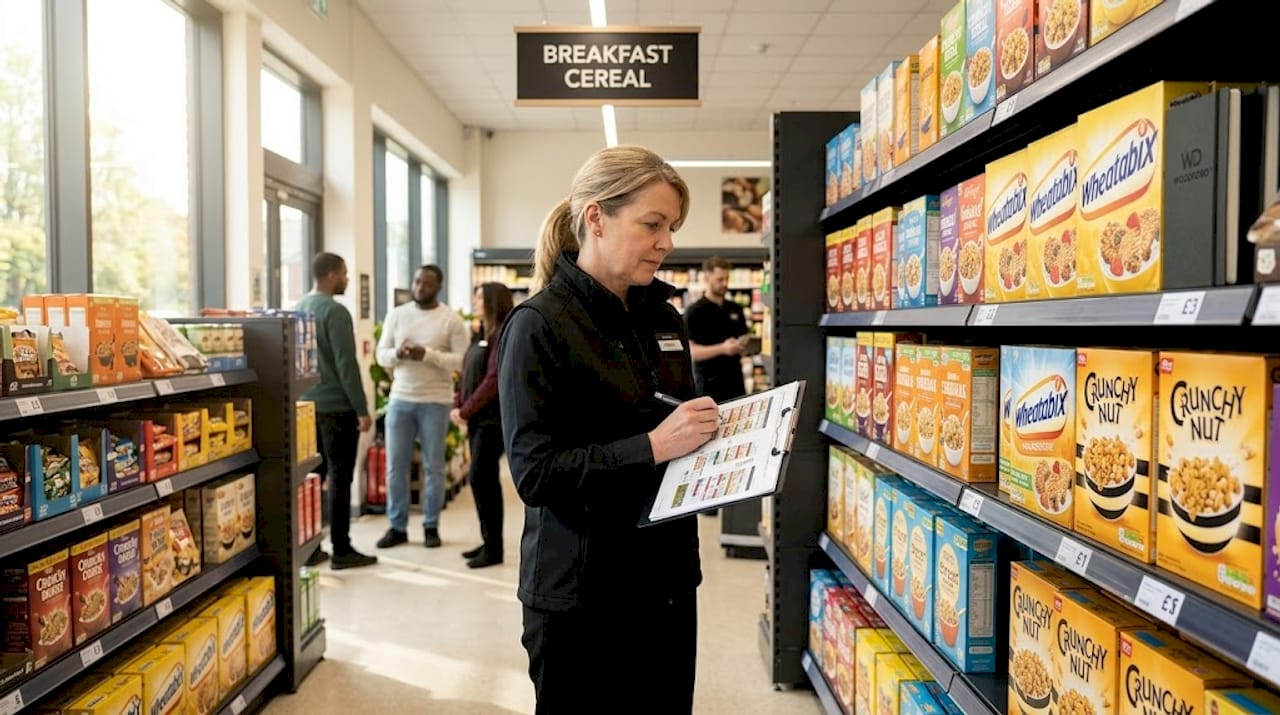
TL;DR:Poor shelf execution costs UK independent retailers significant profit by causing compliance failures and lost sales. A connected, data-driven merchandising workflow that includes planning, communication, and real-time verification is essential to maintaining accurate planograms and shelf standards. Implementing proper tools, rigorous version control, and safety assessments can dramatically improve in-store performance and operational efficiency.
Poor shelf execution costs UK independent retailers more than they typically realise. A misplaced product, an outdated planogram, or a reset that conflicts with a live promotion can quietly erode margin week after week. A structured food merchandising workflow is the difference between a shop floor that sells and one that merely stocks. This guide walks through every stage of that workflow, from planning and planogram distribution through to in-store execution, compliance auditing, and continuous improvement, with a focus on what actually works for independent food retailers operating in the UK.
Table of Contents
- Key takeaways
- Building an effective food merchandising workflow
- Planning and distributing merchandising layouts
- Executing resets efficiently on the shop floor
- Verification and continuous improvement
- Common pitfalls to avoid
- My perspective on where UK independents are going wrong
- How Woodford helps UK retailers get this right
- FAQ
Key takeaways
| Point | Details |
|---|---|
| Plan before you place | Category strategy, fixture data, and promotional calendars must align before any planogram is created or distributed. |
| Version control is non-negotiable | Distributing outdated planograms causes execution failures. Always push approved layouts digitally before each reset. |
| Compliance goes beyond shelf presence | True SKU-level accuracy covers placement, facings, sequence, and pricing, not simply whether a product is on the shelf. |
| Close the loop in-store | Identifying and correcting deviations during the same store visit directly reduces lost sales and prevents repeat errors. |
| Measure what matters | Track SKU-level compliance, facing accuracy, shelf drift duration, and resolution speed rather than a single pass/fail score. |
Building an effective food merchandising workflow
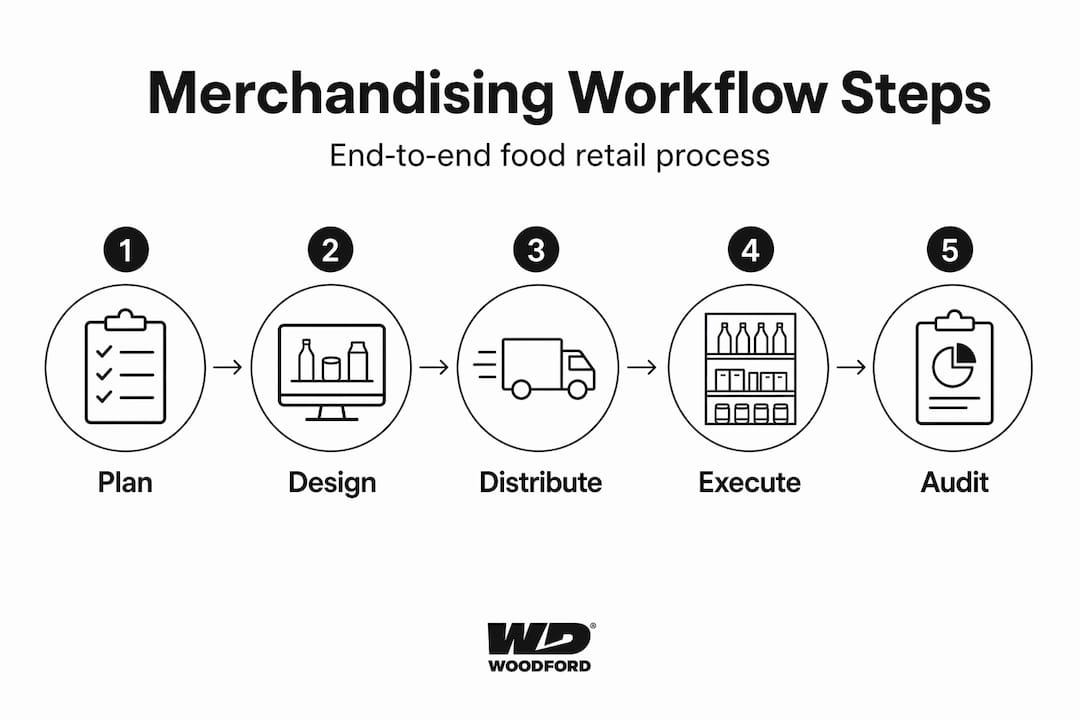
A food merchandising workflow is not a single task. It is a sequence of connected decisions and actions that determines how products reach shelves, how they are presented, and whether that presentation is maintained over time. When any stage breaks down, the consequences ripple forward. A category reset executed on a stale planogram, for example, can take weeks to identify and correct, during which time sales underperform and promotional investment is wasted.
The foundation of any reliable workflow starts with the right tools and accurate data. Planograms sit at the centre of most food display strategies. They specify which product occupies which shelf position, how many facings it receives, and in what sequence it sits alongside adjacent SKUs. Without a planogram, reset decisions default to habit or guesswork.
Planogram tools and essential technology
Planogram software ranges from category-specific desktop applications to cloud-based platforms that support multi-store distribution and version tracking. Beyond the planogram itself, compliance auditing tools allow field teams to photograph shelves, compare them against the approved layout, and log deviations in real time. Mobile workflow tools that deliver correct planogram versions, enable geo-tagged photo capture, and generate real-time compliance reports are now a practical standard, not a luxury.
Accurate product data underpins all of this. Dimensions, barcodes, facing counts, and pricing must be correct in your system before any planogram is built. Stale or incomplete product data produces planograms that cannot be executed accurately, regardless of how well the rest of the process is managed.
| Tool type | Primary function in workflow |
|---|---|
| Planogram software | Creates and manages approved shelf layouts and versions |
| Compliance auditing app | Captures shelf photos and compares against planogram |
| Digital distribution platform | Pushes approved layouts to store teams before resets |
| Product data management system | Maintains accurate SKU dimensions, pricing, and facings |
Pro Tip: Lock product data before you open the planogram software. Changes made mid-build create version inconsistencies that are difficult to trace later.
Planning and distributing merchandising layouts
Structured planning separates retailers who execute well from those who react constantly. The steps below reflect best practice for UK food retail, where range changes, seasonal lines, and promotional activity frequently overlap.
- Build your category strategy from data. Start with sales velocity, basket association data, and category review findings. Understand which products drive footfall, which drive margin, and which hold complementary positions. This determines fixture allocation and shelf hierarchy before any layout is drawn.
- Create planograms with version control. Treat planogram updates as operational releases. Every approved layout should carry a version number, an approval date, and a list of stores it applies to. Planograms updated but not distributed cause version drift, where stores execute outdated layouts that never reached them, which is a leading cause of compliance failure across multi-site retailers.
- Coordinate resets with your promotional calendar. Retailers often update planograms quarterly, but fast-moving categories may require monthly reviews and coordination with promotional calendars to prevent execution conflicts. A new planogram published two days before a promotional price change lands creates chaos on the shop floor. Build your reset schedule around your promotions, not alongside them.
- Distribute digitally to all store teams before the reset date. Email attachments and printed PDFs introduce lag and version risk. Push layouts through a centralised platform where stores can confirm receipt and access the current approved version on demand. This single change eliminates a significant proportion of version drift problems.
- Confirm readiness before the reset begins. A brief pre-reset checklist, covering stock availability, staff rota, and fixture condition, prevents the most common execution day failures.
Pro Tip: Schedule resets at the start of the week, not the end. Teams are fresher, managers are more available to handle deviations, and you have the full week to identify and correct any issues before peak trading days.
Executing resets efficiently on the shop floor
Execution is where planning either pays off or falls apart. Field teams and in-store staff are translating a digital layout into a physical reality, under time pressure, often without direct supervision. The risks are real, and the standards are clear.
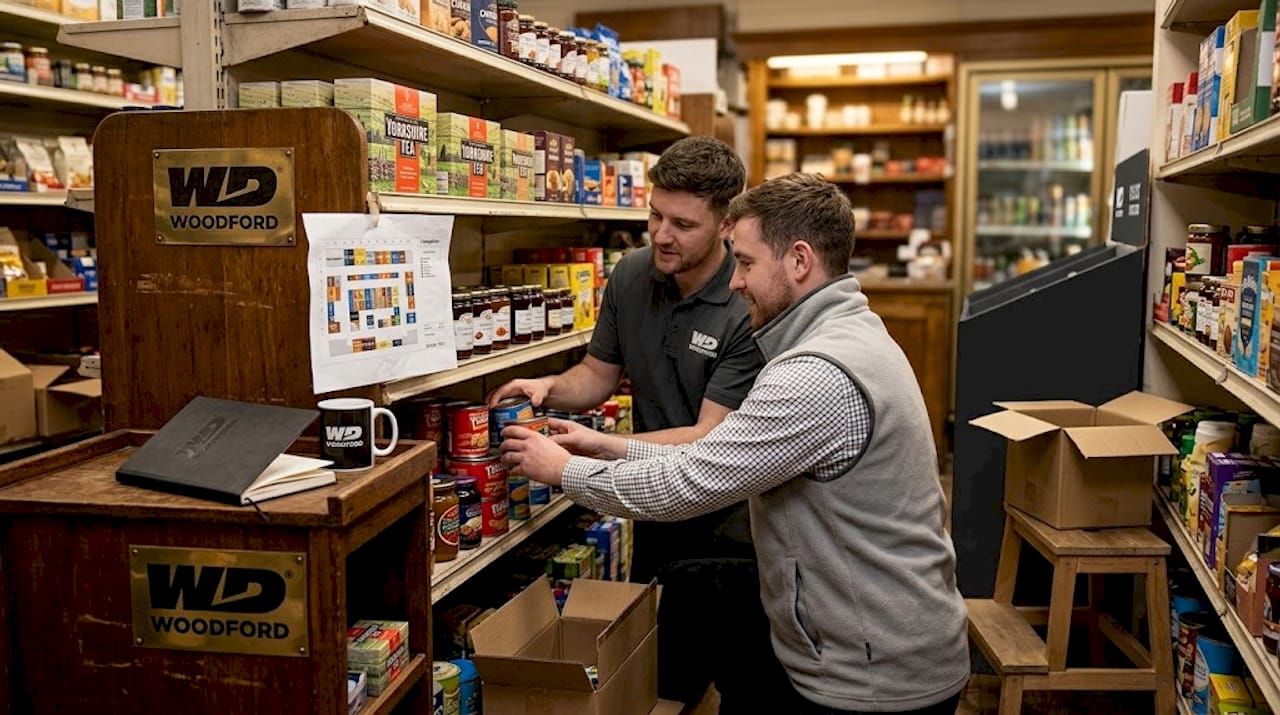
Under UK law, retail store risk assessments must be suitable and sufficient. Any change in store layout or shelving type requires a review of the relevant risk assessment before work begins. This is not a formality. Moving heavy fixtures, repositioning chilled units, or introducing new product formats all carry handling and hazard implications that must be assessed in advance.
On the shop floor, the key principles are straightforward:
- Follow the approved planogram precisely. SKU positioning, facing counts, and sequence all matter. Small deviations compound across multiple stores into significant compliance gaps.
- Log deviations immediately. If a product is out of stock or a fixture does not match the planogram, note it in the compliance tool before moving to the next section. Deferred logging is often deferred permanently.
- Photograph before and after. Before-and-after shelf photos create an audit trail and give the planning team data to improve future layouts.
- Verify adjacencies. In food retail, adjacency errors, where unrelated or competing products sit side by side, can disrupt basket-building behaviour and undermine promotional effectiveness.
“A reset that takes two hours to execute can take two weeks to diagnose if deviations are not caught and corrected the same day.”
Closing the compliance loop during the same store visit, by comparing shelf photos against the approved planogram in real time, allows teams to correct missing facings before leaving the aisle. This approach directly reduces lost sales from non-compliant shelves.
Verification and continuous improvement
Auditing merchandising compliance is where most food retail marketing workflows lose momentum. Teams complete a reset, move on, and only return to assess compliance weeks later, by which time shelf drift has already cost sales.
Planogram compliance requires SKU-level verification across placement, facings, sequence, and pricing. Checking only whether a product is present on the shelf significantly overestimates true compliance rates. A product in the wrong position, with insufficient facings, priced incorrectly, is non-compliant regardless of its presence.
Metrics that actually measure performance
A single compliance percentage score tells you very little. Average compliance scores can mask critical failures on high-value or high-velocity SKUs. The metrics worth tracking are:
| Metric | What it reveals |
|---|---|
| SKU-level compliance per store | Identifies which specific products consistently underperform in execution |
| Facing accuracy rate | Shows whether products receive the correct number of facings per planogram |
| Shelf drift duration | Measures how long a deviation persists before it is corrected |
| Issue resolution speed | Tracks how quickly deviations logged are acted upon and resolved |
Feeding this data back into the planning stage closes the loop. If a particular fixture consistently produces facing errors, the planogram design may need to change. If drift duration spikes after promotional resets, scheduling or resourcing may be the problem. The data tells you where to look.
Pro Tip: Set up a weekly compliance dashboard shared with both your planning team and your store managers. Visibility drives accountability far more reliably than periodic audit reports.
Common pitfalls to avoid
Even well-intentioned workflows break down in predictable ways. Understanding where the failures occur helps you design a process that resists them.
- Version drift. Sending planogram updates by email or posting them on a shared drive without confirming receipt guarantees that some stores will execute outdated versions. Use a distribution platform that logs confirmation.
- Ignoring the promotional calendar. Resets scheduled without reference to active promotions create shelves that contradict point-of-sale materials. This confuses shoppers and undermines the commercial purpose of both the reset and the promotion.
- Relying on a single compliance score. A store reporting 91% compliance may have critical gaps on its top five SKUs. Aggregate scores obscure the failures that matter most.
- Skipping risk assessment updates. When shelving configurations or stock types change, the risk assessment must be reviewed. Failing to do so creates both a safety and a legal exposure for the business.
- Poor cross-team communication. Buyers, field teams, and store managers often operate with different versions of the same information. A centralised merchandising calendar visible to all three groups prevents the majority of coordination failures.
Pro Tip: Before every major reset, send a single-page briefing to all involved teams covering the planogram version number, reset date, key changes from the previous layout, and the person to contact for deviations. One page, sent in advance, prevents dozens of reactive calls on reset day.
My perspective on where UK independents are going wrong
I’ve worked alongside enough independent food retailers to see the same mistakes repeat with striking consistency. The biggest is treating the merchandising workflow as a series of separate events rather than a single connected system. A well-designed workflow must integrate planning, data preparation, distribution, execution, and verification as one system. When those stages are handled separately, by different people with no shared visibility, breakdowns are not occasional. They are structural.
What I find most overlooked is the version control problem. Independent retailers often lack the IT infrastructure of multiples, so planogram distribution defaults to static PDFs sent over email. The result is predictable: stores run resets on layouts that were superseded a fortnight ago, compliance data is meaningless, and nobody quite understands why the shelf never looks the way it should.
The technology to fix this is not expensive or complex. Mobile-first compliance tools built for field teams are accessible to businesses of any size. What they require is a willingness to treat merchandising as a managed process rather than a periodic activity.
I’ve also seen retailers underestimate the safety dimension of reset work. Updating a risk assessment when shelving changes is not bureaucracy. It is the difference between a managed operation and a liability. Independent retailers in particular, where a single injury can affect the whole business, should treat this as a non-negotiable step in the workflow.
The retailers I’ve seen get this right share one characteristic. They do not separate the commercial goal from the operational process. They understand that a planogram is only as valuable as the compliance rate it achieves on the shelf, and they design their entire workflow around closing that gap.
— Nadim
How Woodford helps UK retailers get this right
At Woodford, we work directly with independent food retailers across the UK who are building or refining their merchandising operations. Our team understands the practical realities of managing resets, promotional timing, and food retail compliance with limited resource. Whether you are looking to sharpen your planogram process, improve in-store execution, or get a clearer picture of what good food merchandising looks like in practice, our merchandising tips and guides are built for retailers like you. Visit Woodford to explore how we can support your operation.
FAQ
What is a food merchandising workflow?
A food merchandising workflow is the end-to-end process covering category planning, planogram creation, layout distribution, in-store execution, and compliance verification. When managed as a connected system, it reduces errors and improves shelf performance.
How often should planograms be updated in food retail?
Most retailers review planograms quarterly as a minimum, but fast-moving categories such as chilled or promotional lines may require monthly updates to stay aligned with stock and promotional activity.
What does planogram compliance actually measure?
True planogram compliance covers SKU placement, facing counts, product sequence, and pricing accuracy. Presence-only checks significantly overestimate how compliant a shelf actually is.
How can I prevent version drift in my stores?
Distribute planogram updates through a centralised digital platform that logs store receipt and confirmation. Avoid email attachments or printed versions, which cannot be tracked or recalled reliably.
Do I need to update risk assessments when changing shelf layouts?
Yes. Under UK law, changes in store layout or shelving require a review of the relevant risk assessment before reset work begins. This applies to any substantive change in fixture type, stock weight, or working method.
Recommended
- Food merchandising tips to boost your UK retail sales - WOODFORD - Bringing quality foods your way
- Streamline UK food wholesaling workflow: boost efficiency - WOODFORD - Bringing quality foods your way
- Wholesale logistics explained: A guide for UK food retailers - WOODFORD - Bringing quality foods your way
- Understanding the food distribution cycle for UK retailers - WOODFORD - Bringing quality foods your way


